🗺️ Retailers guide to “Label Created, Not Yet in System” shipping status.
Label Created, Not Yet in System” means the retailer has created the shipping label, but the carrier has not yet scanned the package into its network. The order may still be waiting for pickup, handoff, or first acceptance scan. Customers often interpret this as a delay, which is why this status frequently leads to early order-status questions.
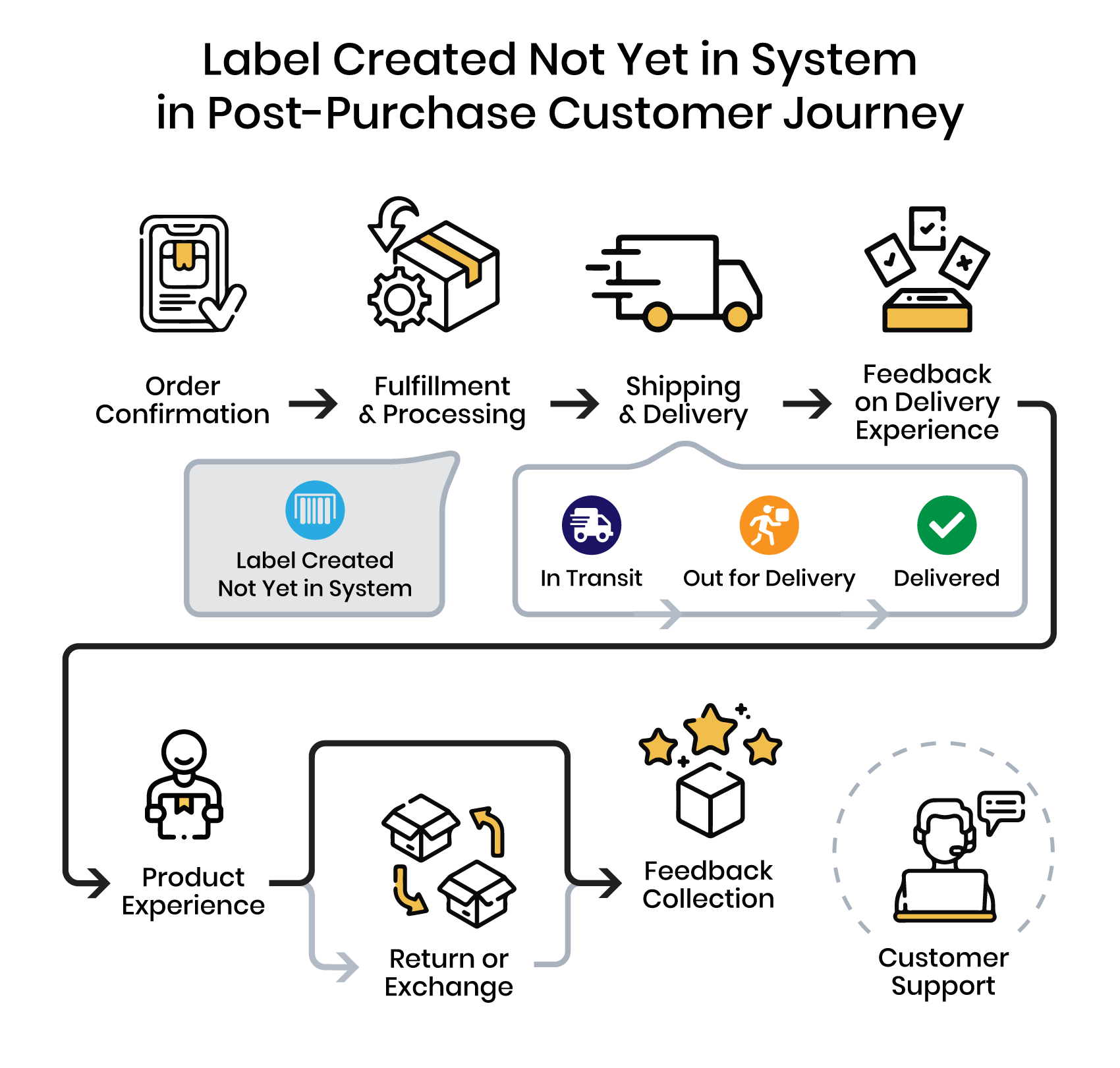
This status is one of the most confusing for customers because it looks like progress without showing visible shipment movement. In this guide, we explain what this update means, what usually happens next, and how retailers can reduce confusion during this early handoff stage.
What does “Label created Not yet in system” mean?
“Label Created, Not Yet in System” is the earliest visible step in the shipping journey. It means the retailer has created the shipment record and submitted the shipment details to the carrier, but the package has not yet been scanned into the carrier network.
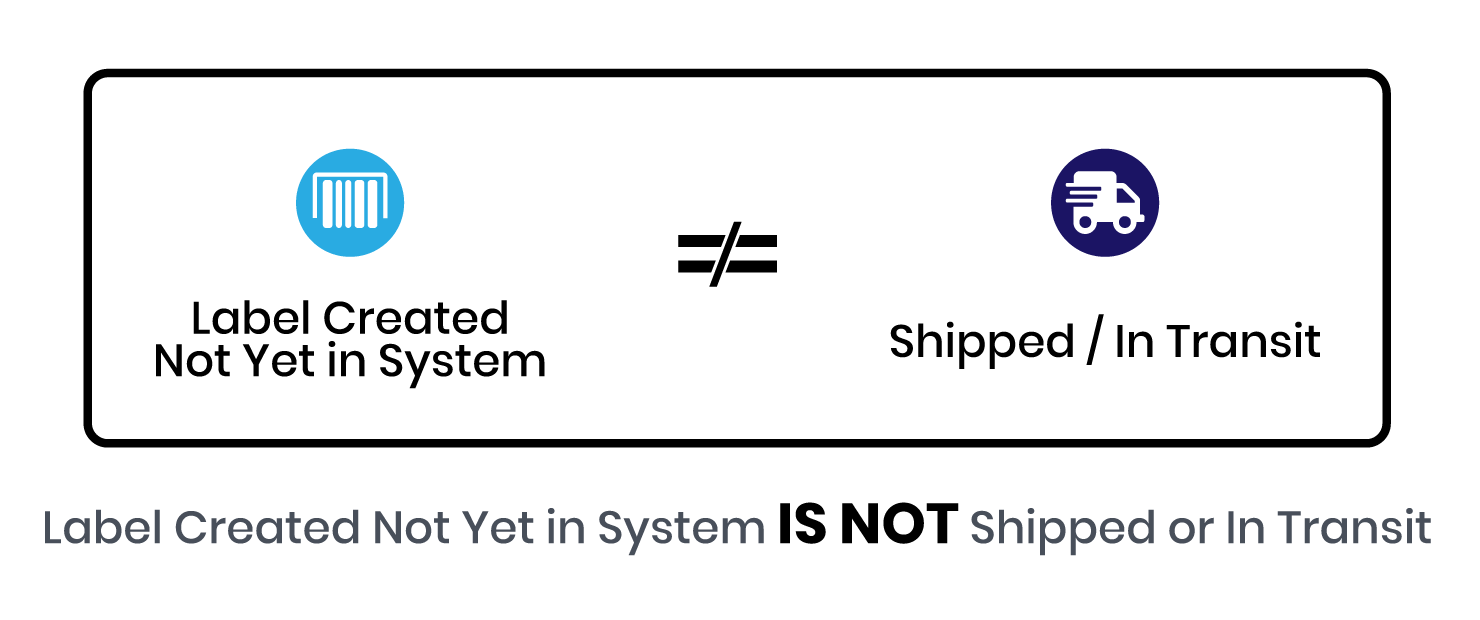
This status does not mean the package is already moving through the carrier’s system. It usually means the order is still waiting for pickup, handoff, or first acceptance scan.
For customers, this is where confusion often starts. They see a tracking number and assume the order has already shipped. When no movement appears, uncertainty rises quickly.
Why this status creates so many order-status questions
Customers often interpret a tracking number as proof that the package is already moving. In many cases, they have already received a shipping confirmation and assume the order has been handed off to the carrier. When they then check the tracking page and see “Label Created, Not Yet in System,” they are left with a gap between expectation and visible progress.
That is why customers reach out asking what does label created mean or trying to understand the shipping label created message meaning in practical terms. What they really want to know is whether the order has actually shipped, whether it is still sitting in the warehouse, and whether anything is wrong.
That is why this status often triggers questions like:
- Has my order actually shipped?
- Is it still sitting in the warehouse?
- Was the label printed too early?
- Should I contact support?
For ecommerce teams, this early-stage uncertainty is one of the clearest examples of how order-status confusion that erodes trust and turns into support volume.
For the broader explanation of that pattern, see what WISMO means. For operational ways to reduce those inquiries, see how retailers reduce WISMO calls.
What is the process once an item is marked as “Label created not yet in system”?
The status usually appears after the retailer creates the shipment record and prints the shipping label, but before the carrier performs the first acceptance scan.
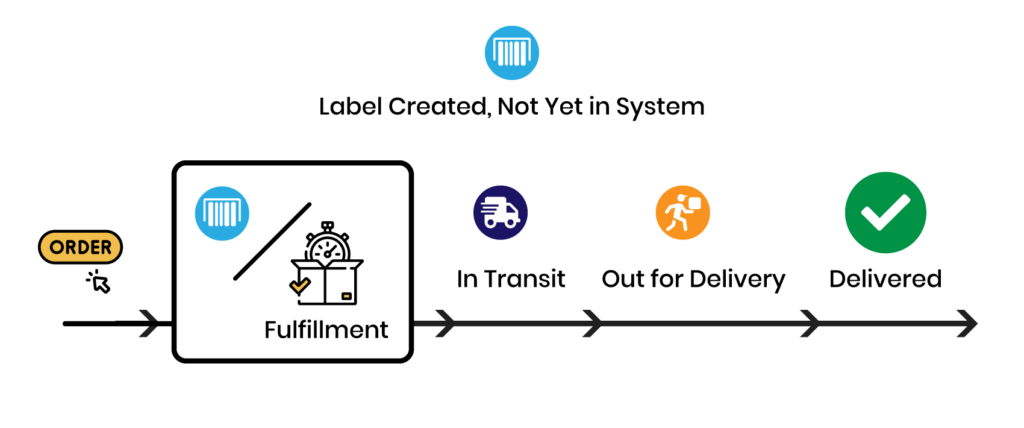
The Process Behind the Status:
- Shipping Label Creation: The retailer initiates the creation of the shipping label. This process involves inputting shipment details into the carrier’s system, which generates a unique tracking number.
- Label Printing and Package Preparation: Following the creation of the label, it is printed and affixed to the package. The package is now ready to be handed over to the carrier.
- Carrier Pickup and Scanning: Once the package is in the carrier’s possession, it is scanned, marking the transition to the next status, often “In-Transit,” “En-Route,” or “Shipped.” This scan is crucial as it updates the package’s status in the tracking system, providing real-time visibility to both the retailer and the customer.
Once the carrier performs the first acceptance scan, the shipment usually moves into the next visible stage, often described as in transit
What retailers should communicate at this stage:
Retailers should communicate this stage clearly because customers often assume that a tracking number means the shipment is already moving. Good communication at this point should do four things:
- Explain what the status actually means in plain language
- Set expectations for when the first carrier scan is likely to appear
- Provide a realistic estimated delivery window based on fulfillment timing, pickup schedules, and normal carrier handoff patterns
- Reassure the customer when the handoff window is still within a normal range
If an accurate delivery estimate is not feasible at this stage, a realistic range is usually more helpful than a wrong date.
Better communication during the handoff window:
Retailers can reduce confusion during this stage by combining carrier data with internal fulfillment context. That includes the order date, fulfillment timing, pickup schedules, and expected transit patterns.
When retailers use this information well, they can provide more realistic delivery expectations and better reassurance while the shipment is still waiting for its first carrier scan.
This is especially important during the handoff window, where the raw carrier status alone often does not give the customer enough context.
What this status usually means in practice
| What the tracking page shows | What may be happening operationally | What the customer may assume |
|---|---|---|
| Label created | Shipment record was generated | “My order shipped” |
| No carrier scan yet | Pickup or handoff has not happened yet | “Something is wrong” |
| Tracking number exists, no movement | Carrier has not accepted the package yet | “The order is stuck” |
This is exactly why retailers need to set expectations clearly during the handoff window, rather than relying on the raw carrier status alone.
Overcoming Obstacles: The Challenges of the “Label created not yet in system” Phase in Order Delivery
The “Label created, not yet in system” phase presents several typical challenges for both retailers and customers.
Understanding and addressing these challenges is crucial for enhancing the overall post-purchase experience:
- Customer anxiety and confusion
Customers may not understand why a tracking number exists without visible shipment movement. - Communication gaps
If the retailer does not explain this stage clearly, support inquiries often increase. - Delay between label creation and first scan
Carrier pickup, warehouse timing, and scanning delays can all extend this stage. - Expectation mismatch
Customers may assume the package is already in transit when it is still waiting for handoff. - Inaccurate Delivery Estimates: Providing accurate delivery estimates during this phase can be challenging, especially if the fulfillment process or carrier pickup is delayed. Inaccurate estimates can lead to customer frustration and a lack of trust in the retailer.
- Support pressure
When the meaning of the status is unclear, support teams end up answering reassurance questions instead of exception cases.
To reduce these issues, retailers need clear messaging, realistic timelines, and better communication during the early shipment handoff period.
Can customers expect any delays in delivery because “Label Created, not yet in the system” status?
Typically no. Delays can occur if the package is not handed over to the carrier promptly or if there are logistical issues at the carrier’s end. Keep monitoring the tracking updates for further progress.
What should I do if the status doesn’t change for several days?
If the “Label Created, Not Yet in System” status does not change for several days, retailers should investigate both the operational handoff and the customer communication around it.
- Check internal processes: Confirm whether the package has actually been packed, staged, and handed off for pickup.
- Contact the Carrier: If the package was handed over, reach out to the carrier to inquire about the delay in scanning and updating the tracking status. This will help identify if the issue lies with the carrier’s processing.
- Update the customer: Explain what is known, what is still pending, and when the next update is expected.
- Monitor the Package Closely: Keep a close watch on the package’s progress to ensure it moves through the carrier’s system. Quick intervention can be crucial if further issues arise.
- Review and Adjust Processes: If delays like this are frequent, review your shipping and handling processes for potential improvements. This could involve choosing a different carrier, adjusting pickup schedules, or streamlining internal logistics.
- Offer compensation if appropriate: If the delay is significant, consider a reasonable service recovery step.
By taking these steps, retailers can effectively manage the situation where the “Label Created, Not Yet in System” has not updated and maintain customer satisfaction, and improve their logistical operations.
Conclusion
The “Label Created, Not Yet in System” phase is a small shipping update, but it often creates outsized customer uncertainty. A tracking number appears, but visible carrier movement does not. That gap is where many early order-status questions begin.
For retailers, this stage is not just an operational handoff. It is also a communication moment. Clear explanations, realistic timing, and better expectation management can reduce confusion before it becomes a support ticket.
For ecommerce teams trying to reduce early shipment questions
If customers often contact support before a shipment even receives its first carrier scan, this page is describing one of the most common causes.
Continue with:
FAQ: Understanding the “Label Created Not Yet in System” Phase
Below are concise answers to the most common questions about this shipping status.
What does “Label created Not yet in system” mean?
“Label Created, Not Yet in System” typically means that the shipping label for the package has been generated, usually by the sender, but the package hasn’t been scanned into the carrier’s tracking system yet. This scan usually happens when the carrier first receives the package for shipment. Until this scan occurs, the package is not officially in the carrier’s system for tracking purposes. This status is common and generally indicates that the package is in the early stages of the shipping process.
Has my package actually been shipped?
When the status of a package is “Label Created Not Yet in System,” it usually means that the shipping label has been generated, but the package has not yet been scanned and entered into the carrier’s tracking system. This does not necessarily mean the package has been physically shipped. It could still be with the sender, awaiting pickup or drop-off with the carrier. Once the carrier scans the package, the status will update, and tracking information will become more accurate.
When will the carrier receive the package from the sender after “Label Created Not yet in the system” is assigned?
The time it takes for the carrier to receive the package from the sender after the “Label Created, not yet in the system” status is assigned can vary. Typically, it should happen within a few days, but it depends on the sender’s processing times and the carrier’s pickup schedule. If the sender is efficient and the carrier has regular pickups from the location, it could be as soon as the same or next business day. Delays may occur due to the sender’s internal processes or carrier-related issues. If the status doesn’t update within a few days, it’s advisable to contact the sender or the carrier for more information.
Why is tracking not updating after label created?
Tracking might not update after “Label Created” for several reasons:
Package Not Yet Picked Up: The carrier might not have picked up the package from the sender. This can happen if the label is created outside of pickup hours or if there’s a delay in the pickup schedule.
Scanning Delay: The package might have been picked up but not yet scanned into the carrier’s system. Sometimes, initial scans are missed, or there are delays in updating the tracking system.
System Issues: Occasionally, there can be technical issues or delays in the carrier’s tracking system, leading to a lack of updates.
High Volume Periods: During busy times like holidays, carriers handle high volumes of packages, which can slow down processing and updates.
If the status doesn’t change for an extended period, it’s advisable to contact the sender or carrier for more information. They can provide more specific details or look into any potential issues.
How can retailers handle increased customer inquiries related to “Label Created Not yet in the system” status?
Retailers can handle increased inquiries at this stage by explaining what the status means, setting expectations for the first carrier scan, and proactively updating customers when the handoff window takes longer than expected.
This is one of the clearest examples of how order-status confusion turns into support volume. For the broader explanation, read What is WISMO?. For practical ways to reduce those inquiries, see How to Reduce WISMO Calls.