
Every American brand manager knows the pressure when post-purchase questions start piling up. Fragmented data and separate systems often lead to confused customers, long wait times, and wasted team effort. Setting up intelligent order data integration is the crucial first step to eliminate the gap between fulfillment, messaging, and customer satisfaction. When your systems communicate clearly, your customers gain confidence and your support team finally gets ahead of WISMO cases.
Table of Contents
- Step 1: Set Up Intelligent Order Data Integration
- Step 2: Configure Decision Layer for Contextual Messaging
- Step 3: Personalize Notifications Based on Customer Behavior
- Step 4: Deploy Reputation Guard and Smart Timing Logic
- Step 5: Verify Reduction of WISMO Tickets and Review Scores
Quick Summary
| Key Insight | Explanation |
|---|---|
| 1. Integrate Data Sources | Connect order management, inventory, and shipping data into one platform to streamline communication. |
| 2. Create Contextual Messaging | Develop rules to tailor messages based on customer behavior and order specifics, enhancing relevance. |
| 3. Personalize Notifications | Use customer purchasing history and behavior to customize notifications, increasing engagement and satisfaction. |
| 4. Implement Review Request Suppression | Avoid asking for reviews during delivery issues to protect brand reputation and customer trust. |
| 5. Measure Metrics Post-Implementation | Track WISMO tickets and review scores to assess the effectiveness of your communication strategy and make adjustments as needed. |
Step 1: Set Up Intelligent Order Data Integration
You’re about to unlock the real power of post-purchase communication. Intelligent order data integration connects your order management system, inventory data, and shipping information into a single source of truth. This foundation determines whether you send the right message at the right time or waste customer attention with redundant notifications.
Start by mapping your current data sources. You likely have order information scattered across multiple platforms: your ecommerce platform (Shopify, BigCommerce, Magento), your fulfillment system, carrier APIs, and customer relationship management tools. Write down each system and note what data lives where. Your order confirmation data, tracking updates, inventory status, and customer history all need to feed into one unified stream. AI-driven data integration eliminates data silos that cause communication breakdowns and operational delays.
Next, establish data connection protocols. You’ll need API endpoints or middleware that allows real-time data flow between systems without manual intervention. This is where many brands stumble. The key is setting up bidirectional communication where changes in one system automatically trigger updates across your communication platform. Your fulfillment center ships an order, that status flows instantly to your messaging layer, and your customer receives a contextual update without anyone manually pushing anything.
Then validate your data quality. Before activating any communication, run test orders through your complete data pipeline. Check that order IDs match across systems, timestamps are accurate, and status fields contain the values you expect. AI algorithms analyzing real-time order management significantly improve decision-making when they receive clean, consistent data. Garbage data produces garbage communication decisions.
Here’s a comparison of data quality issues and their business impacts in intelligent order integration:
| Data Issue | Example Scenario | Potential Business Impact |
|---|---|---|
| Inconsistent order IDs | Same order ID formatted differently | Lost or duplicated notifications |
| Outdated inventory data | Inventory status not updated in real time | Overselling, delays in fulfillment |
| Incorrect timestamps | Mismatched time zones in updates | Customer confusion about order status |
| Missing status fields | Shipment status not captured | Incomplete tracking notifications |
| Isolated data silos | Separate CRM and shipping platforms | Fragmented customer experience |
Finally, configure your data mapping rules. Define exactly how fields from each source system should translate into communication variables. Map carrier tracking events to notification types, connect customer purchase history to personalization tokens, and link inventory data to fulfillment messaging. This creates the logical framework where your communication system knows not just what happened, but what it means in context.
Pro tip: Start with your highest-volume products or fastest-moving SKUs when testing data integration, since successful communication here drives the most customer touchpoints and immediate ROI.
Step 2: Configure Decision Layer for Contextual Messaging
Your decision layer is the brain behind intelligent communication. This is where your system evaluates order data, customer behavior, and shipment conditions to decide if, when, and what to send. Without it, you’re just broadcasting generic updates that add noise to your customer’s inbox.

Start by defining your decision rules. Think about the real situations your customers face. A customer who ordered during a holiday sale needs different messaging than someone buying a replacement item. A package delayed at a sorting facility needs proactive reassurance, while on-time deliveries warrant a simple tracking update. Context-aware messaging frameworks evaluate customer history, order urgency, and delivery status simultaneously to determine relevance. You’re teaching your system to think like your best customer service rep.
Next, integrate customer context into your rules. Pull in purchase history, order value, shipping method selected, and customer segment data. A loyal customer with five previous orders might receive early access to a returns extension offer with their tracking information. A first-time buyer concerned about delivery might get proactive updates at different stages. This isn’t about bombarding people with more messages. It’s about sending the right message to the right person based on what actually matters to them.
Then configure your trigger conditions. Define what shipment events and customer signals activate different message types. Delayed packages trigger protective messaging that prevents negative reviews. On-time deliveries trigger strategic upsell opportunities. Knowledge graphs and language models dynamically rephrase messages based on real-time context, ensuring each communication feels personal rather than templated. Your rules should account for timing too. Don’t send notifications at 2 AM or during peak support hours when your team is already overwhelmed.
Finally, set suppression rules to prevent over-communication. Define maximum message frequency per customer and per order. Exclude customers with active support tickets from promotional messaging. Hold back review requests if delivery issues occurred. This is where the decision layer truly shines. Your system knows when not to communicate, which is just as valuable as knowing when to send something.
Pro tip: Start with your most common order scenarios (standard domestic delivery, express shipping, preorders) when configuring decision rules, then gradually add edge cases as you observe real traffic patterns and customer responses.
Step 3: Personalize Notifications Based on Customer Behavior
Personalization transforms notifications from generic announcements into conversations. When a customer receives a message that speaks to their specific situation and history, engagement jumps dramatically. This step teaches your system to recognize behavioral patterns and adjust messaging accordingly.
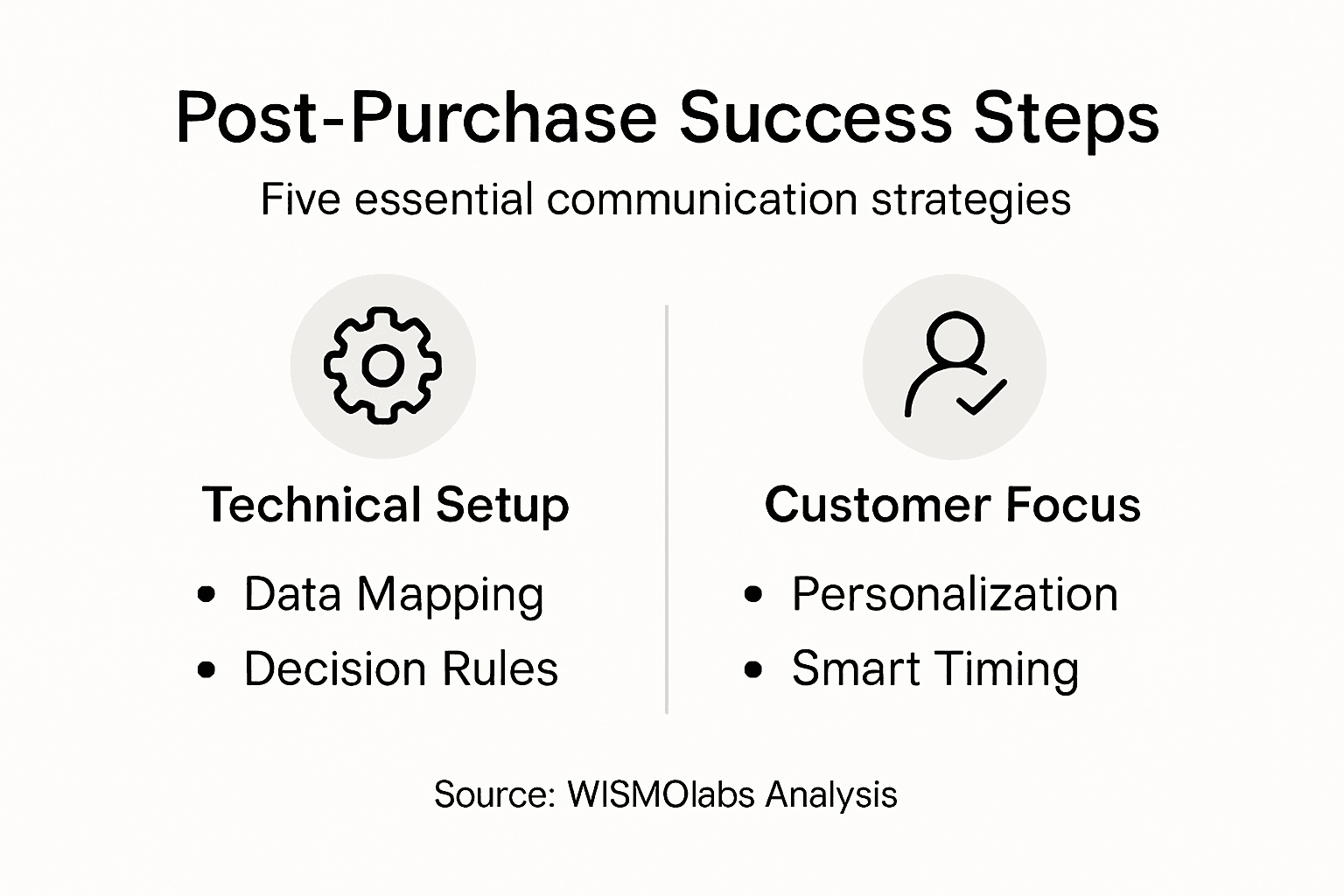
Start by identifying your key behavioral segments. Look at how customers interact with your brand before and after purchase. Some customers obsessively track their orders and check your website multiple times daily. Others ignore notifications entirely until their package arrives. Some habitually abandon carts, while others buy the same product repeatedly. Data-driven customer segmentation using machine learning identifies these patterns automatically so you can tailor communication frequency and tone to each group.
Next, map behaviors to notification preferences. High-engagement customers might appreciate detailed tracking updates with estimated delivery windows. Low-engagement customers benefit from simpler, fewer messages that get straight to the point. Repeat purchasers could receive loyalty incentives with their tracking confirmation. First-time buyers might need reassurance about the shipping process. Your notification strategy should reflect who each customer is, not treat everyone identically.
Then layer purchase history into your personalization logic. A customer buying their fifth pair of running shoes needs different messaging than someone ordering shoes for the first time. Customers who previously returned items might need clearer sizing information with their shipment confirmation. High-value customers warrant faster shipping options highlighted in their notifications. These behavioral signals become your personalization variables.
Finally, test and adjust based on engagement metrics. Push notification personalization using machine learning shows measurable improvements in customer engagement when notifications match individual preferences. Monitor which segments open your messages, click through to tracking pages, and complete post-purchase actions. Use this feedback to refine your behavioral rules continuously.
Below is a summary of personalization strategies linked to customer behavior types:
| Customer Behavior | Personalization Strategy | Expected Result |
|---|---|---|
| Frequent order tracking | Detailed real-time tracking updates | Higher engagement, fewer inquiries |
| Rarely checks notifications | Simple summary messages | Avoid notification fatigue |
| Repeat purchaser | Loyalty incentives in notifications | Increased retention, higher LTV |
| First-time buyer | Reassurance and shipping education | Reduced anxiety, positive reviews |
| History of returns | Include sizing or product information | Fewer returns, improved feedback |
Pro tip: Create a “notification preference test” by sending one cohort an extra tracking update and another cohort fewer messages, then compare engagement rates to find the sweet spot for each behavioral segment.
Step 4: Deploy Reputation Guard and Smart Timing Logic
Your reputation is fragile. A single negative review can spread quickly and damage customer trust. Reputation Guard protects your brand by preventing review requests when delivery problems occur and by timing communications strategically. This step activates the safeguards that turn potential disasters into recoveries.
Start by configuring your review request suppression rules. If a package arrives late, gets damaged, or triggers a customer complaint, your system should automatically hold back any review requests. Effective complaint handling and proactive reputation management directly influence how customers perceive your brand during failures. Asking for a review after a delivery mishap feels tone deaf and guarantees negative feedback. Instead, route these customers to your support team first.
Next, set up timing rules that respect customer availability and attention spans. Don’t send shipment notifications during late night hours when customers are sleeping. Space out multiple updates so you’re not bombarding someone with five messages in an hour. Coordinate with your support team’s operating hours so customers can reach help when they need it. Smart timing means understanding that 3 PM on a Tuesday reaches a different mindset than 11 PM on a Friday.
Then implement escalation protocols for at-risk orders. If tracking data shows a package won’t arrive on time, trigger protective messaging that sets expectations and offers solutions before the customer gets angry. If multiple items in an order have different delivery dates, explain this upfront rather than letting the customer discover it through confusion. Strategic management of online reputation through smart communication timing transforms stressful situations into trust building opportunities.
Finally, monitor and adjust your suppression thresholds. Track which scenarios actually lead to negative reviews and refine your suppression rules accordingly. Some delays merit immediate proactive contact while others resolve themselves. Your system should learn from experience which situations need human intervention versus which ones resolve with patience.
Pro tip: Log every instance where you suppressed a review request due to a delivery issue, then follow up 48 hours after resolution to ask for feedback, which shows accountability and often converts potential negative reviews into positive ones.
Step 5: Verify Reduction of WISMO Tickets and Review Scores
You’ve built your intelligent communication system. Now comes the moment of truth. This step shows you how to measure whether your post-purchase strategy actually works. The numbers don’t lie, and they reveal exactly where your efforts are paying off.
Start by establishing baseline metrics before your system goes live. Count your current WISMO tickets over a 30-day period and note their primary categories. How many customers ask about order status? How many report delivery issues? How many need address corrections? Document your current review score across platforms. These baselines become your reference point for measuring improvement.
Next, activate your tracking within your support platform. Tag every incoming inquiry with its type so you can measure change accurately. When WISMO tickets arrive, classify them by category. This data becomes invaluable because you’ll see which types of messages actually reduce inquiries and which ones don’t. AI-driven automation reduces WISMO tickets by handling common customer queries such as tracking and delivery issues through self-service systems that resolve post-purchase uncertainty before it reaches your support team.
Then monitor your review scores daily. Track the average rating and the percentage of five-star versus one-star reviews. More importantly, read the actual review text to identify patterns. Are negative reviews mentioning delivery delays, poor communication, or confusion about order status? Your communication improvements should directly address these pain points.
After 30 days of your system running, compare your metrics against baseline. Look for these specific improvements: WISMO ticket volume should drop noticeably, customer satisfaction scores should climb, and the tone of remaining inquiries should shift from frustrated to routine. Real-time transparency and automated communication reduce customer inquiries by improving visibility throughout delivery because customers who know what’s happening stop asking.
Finally, adjust your rules based on what you learn. If certain message types aren’t reducing inquiries, tweak them. If review scores improve in specific categories but not others, double down on what works and reconfigure what doesn’t.
Pro tip: Set up weekly comparison reports between your top performing message types and your least effective ones, identifying the specific language and timing patterns that drive actual customer behavior change.
Unlock Seamless Post-Purchase Communication with WISMOlabs
The article highlights a major challenge for e-commerce brands: transforming fragmented order data and generic messages into a personalized, decision-driven post-purchase experience that reduces customer anxiety and limits redundant notifications. Key pain points include inconsistent data integration, unclear communication timing, lack of contextual messaging, and the costly impact of WISMO tickets and negative reviews. Concepts like the “Decision Layer,” “Reputation Guard,” and behavioral personalization show the way forward to a more proactive strategy.
WISMOlabs is built exactly to solve these problems. Our intelligent orchestration platform connects your order management and shipping data into a unified engine that understands the real-time context of each order. Leveraging AI-powered insights and smart timing logic, WISMOlabs ensures you send high-value, personalized updates only at moments of peak customer attention. Brands using WISMOlabs have experienced a 70-90% drop in WISMO tickets and a 50% reduction in negative reviews thanks to our proprietary Reputation Guard and seamless integration with ecommerce platforms like Shopify and Magento.
Ready to transform your post-purchase journey into a growth engine that delights customers and boosts revenue?
Visit WISMOlabs today and discover how to harness intelligent post-purchase communication that drives operational efficiency, customer loyalty, and long-term success.
Frequently Asked Questions
How can I set up intelligent order data integration for my e-commerce store?
To set up intelligent order data integration, start by mapping your current data sources across your order management system and inventory. Identify all platforms involved (like your e-commerce system, fulfillment center, and CRM) and establish API connections to ensure real-time data flow.
What are effective decision rules for sending post-purchase messages?
Effective decision rules should consider customer context, such as order urgency and purchase history. Define triggers for different shipment events to ensure customers receive relevant messages, like proactive updates for delayed shipments.
How can I personalize notifications for different customer behaviors?
To personalize notifications, segment your customers based on their behavior, such as order tracking habits or purchase frequency. Tailor your messages accordingly; for example, send detailed tracking updates to frequent users while keeping it simple for first-time buyers.
What measures can I take to protect my brand’s reputation during delivery issues?
Implement review request suppression rules to avoid asking for feedback after negative delivery experiences. Instead, route affected customers to your support team first, ensuring they feel heard and valued.
How do I verify if my post-purchase communication is reducing WISMO tickets?
To verify the effectiveness of your post-purchase communication, establish baseline metrics for WISMO tickets before launching. Monitor these inquiries over a 30-day period to see a noticeable decline in queries regarding order status or delivery issues.